



Where real work automation begins
THE ENTERPRISE SSOT

If this sounds familiar
01 / 07
No one understands your whole system.And AI doesn't help either.
All eight scenes share one cause.Your company's truth isn't gathered in one place.People can't see all of it; AI has nowhere to look.So bringing in AI changes nothing.
Nobody knows the whole system
Millions of lines of code across dozens of repos. The people who built it have left. The only answer left is “ask that team.”
Product managers wait on engineers
“How does this work right now?” costs a whole day. Planning moves only as fast as engineers can reply.
It's your system, but the answers are elsewhere
Confirming one behavior means booking a meeting and sending emails. You own the system, but not the knowledge.
Docs go stale the moment they're written
The wiki can't keep up with the code. Stale docs are worse than none.
AI agents edit without knowing the structure
Fix one thing here and something far away breaks, because AI can't see the full web of connections.
Data questions pile up as tickets
No one knows what the tables mean. Even simple questions queue up at the data team's door.
Onboarding takes months
A new hire spends a full quarter learning the system.
Engineers summoned for every incident and CS ticket
Because the answers live only in the code, every problem pulls in an engineer.
What Platty does
02 / 07
We extract your company's logic map from the codeand make it the evidence behind every answer.
Platty statically analyzes your entire codebase and draws the system's logic map.Then it rewrites that map in business language.Scattered docs and data are checked against the code, and only what holds up enters the SSOT.People and AI simply ask it, in plain language.
Full static analysis
Every repo joined into one map, whatever the language.
Business encyclopedia
The code map, rewritten in business language.
Docs and data, verified and merged
Docs and data are scored against the code. Only what holds up enters the SSOT.
A living SSOT
It updates itself when the code changes, and human-verified knowledge accumulates in memory.




How teams use the SSOT
03 / 07
One SSOT,ten things change.
All ten are answered by the same single SSOT.Every answer comes with the code location behind it.
01 System knowledge search
“Which screens and APIs manage a product's sales status?”
Sales status is managed under Product Management > Change Sales Status, handled by 2 APIs (single and bulk). 1 batch job at midnight also refreshes sold-out status automatically.

02 Business rule lookup
“What are the conditions for approving a product?”
There are 4 conditions: required fields filled in, banned-word check passed, settlement account registered, and seller tier not suspended. That last one was added in a commit last month.
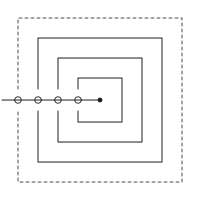
03 Screen-to-backend tracing
“What happens when I hit Save on this screen?”
Save calls the contract-update API, passes through the validation service, and writes to 2 tables: contracts and history. Once saved, it publishes 1 notification event.
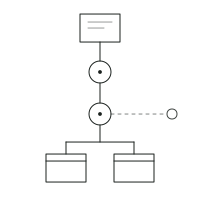
04 Change impact analysis
“If I change this column, what breaks?”
3 screens, 5 APIs and 1 batch job read this column. The settlement batch uses it directly in amount calculations — that is the risk point.
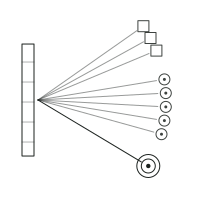
05 Incident and error root-cause search
“Where and under what conditions does this error code fire?”
It fires in two places: inventory validation (insufficient quantity) and payment validation (limit exceeded). The code location and triggering condition for each are attached below.
06 Requirements and planning support
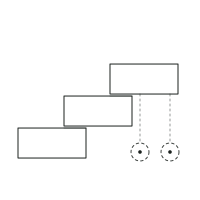
“I'm drafting a membership tier revamp — start by laying out the current tier logic.”
There are currently 3 tiers, based on purchase volume over the last 90 days. I drafted a PRD that also covers the 2 exception rules (employees and returning dormant accounts).
07 Development design support
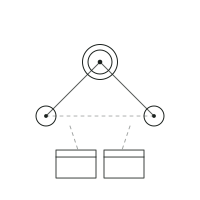
“Where do I change things to stop duplicate coupon use?”
There are 3 candidate spots. The key one is the coupon validation service; the validation call in order creation and the restore logic on cancellation are also involved. 2 tables are related.
08 AI coding support
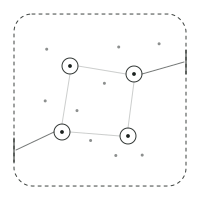
(Coding agent) “Give me context for changing the refund rules.”
Included: 4 related business rules, 12 code locations, recent change history, and the hard boundary (the lock preventing duplicate payouts). You can start from here.
09 Test design
“Generate test cases for point accrual.”
From the rule's 6 conditions and 3 exceptions I built 14 cases, 5 of them boundary-value cases such as accrual just before expiry.

10 Handover and onboarding
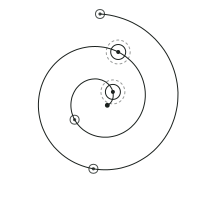
“I've just taken over settlements — where do I start?”
Start with the settlement overview, then the rules, then the details. I have also marked which steps run automatically and the 2 points that need human review.
Scroll to reveal the Platty by the numbers items.
Platty by the numbers
04 / 07
Platty bythe numbers
From repo connectionto a finished SSOT
1–7days
Doc entries auto-generatedacross 7 repo projects
18,979entries
Measured
Links confirmedwithout evidence
0
If it doesn’t know, it says so
Why you can trust these answers
05 / 07
Every sentence carries evidence,and when there is none, we say so.
Platty doesn't make answers up.Every sentence cites its evidence, and what it doesn't know, it says it doesn't know.Stale answers are labeled stale.

A light start
06 / 07
Connect your repos, andyour SSOT is ready in 1–7 days.
STEP 01Connect repos
Connect GitHub or GitLab.If you prefer, it runs entirely inside your own servers.Your code never leaves.
STEP 02SSOT generation
From analysis to a finished SSOT in 1–7 days.All you prepare is the repo connection.
STEP 03Connect
Attach it to the AI you already use via MCP.No new app to learn.Access is managed per team.

FAQ
07 / 07
Questions that come up during evaluation
START WITH YOUR REPOSITORY
So AI stops imagining your company.So your company's truth becomes its standard.
Up and running in just 7 days.
Reply within 1 business day · Material for internal review